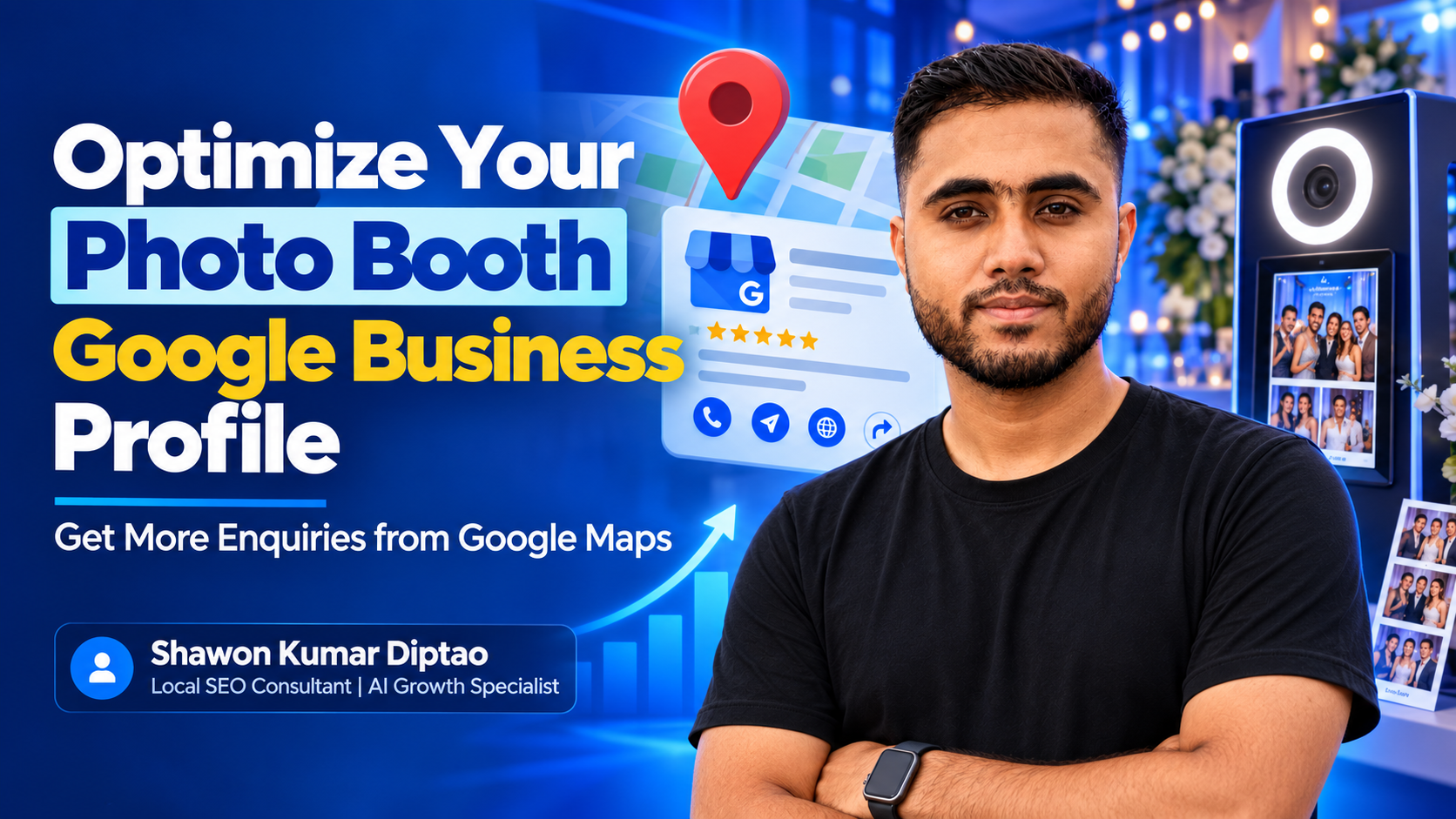
How to Optimize a Photo Booth Google Business Profile for More Enquiries
A well-optimized photo booth Google Business Profile can help potential customers discover your business in Google Search and Google Maps, understand what you offer, view proof from real events, and contact you before choosing another rental company.
The goal is not simply to appear in the Map Pack. Your profile should answer the questions customers have before enquiring:
- What type of photo booth do you provide?
- Do you serve my event location?
- Can you handle weddings, parties, or corporate events?
- What does the setup look like?
- Can I call, message, or request availability quickly?
- Do previous customers trust you?
Google says local visibility is influenced mainly by relevance, distance, and prominence. Complete information, accurate categories, genuine reviews, and trusted online references help Google understand and evaluate a business. support.google.com
For photo booth rental businesses, the strongest strategy connects three things:
Profile relevance → customer trust → easy enquiry action
What is a photo booth Google Business Profile?
A Google Business Profile is the business listing that can appear in Google Search and Google Maps. It may show your business name, category, service area, phone number, website, photos, reviews, services, posts, FAQs, and enquiry options.
For a photo booth company, the profile acts like a compact booking page. A customer may discover you through searches such as:
- photo booth rental
- wedding photo booth rental
- 360 photo booth
- photo booth for corporate events
- photo booth near me
- party photo booth hire
- event photo booth rental
The profile does not replace your website. It brings local attention to your business, while your website should provide fuller information about packages, availability, FAQs, galleries, pricing guidance, and booking requirements.
Why many photo booth profiles receive views but few enquiries
A profile can receive impressions without producing meaningful leads. This usually happens when it is visible but incomplete, unclear, or difficult to act on.
Common problems include:
- The primary category does not accurately describe the business.
- The description focuses on vague marketing language instead of services.
- Important booth types are missing from the Services section.
- Photos show equipment but not the customer experience.
- Reviews are too general to communicate what the business does well.
- The service area is unclear.
- The website link leads to a generic homepage with no obvious enquiry path.
- The phone number, messaging option, or enquiry form is difficult to find.
- Posts are published randomly or stop after the profile is created.
- The business name contains extra keywords that violate Google’s guidelines.
A profile should make the next step obvious. If someone is ready to enquire, they should not need to search through several pages to find out how to contact you.
Step 1: Choose the most accurate photo booth business profile categories
Categories help Google understand what your business is and which searches may be relevant. Google states that the categories selected for a Business Profile affect local ranking, and the first category is treated as the primary category. support.google.com
Select one accurate primary category
Choose the category that most closely represents your core business. Depending on the available options in your market, this may be a category such as:
- Photo Booth Rental Service
- Party Equipment Rental Service
- Event Planner
- Photographer
Do not choose a category simply because it has a keyword you want to rank for. The category must accurately describe the service customers receive.
For most dedicated rental companies, a photo booth rental category is generally more precise than a broad entertainment or photography category. Check the categories currently available inside your Business Profile because Google may change its category list.
Add only relevant secondary categories
Secondary categories can describe legitimate parts of your business, but they should not become a list of every service you have ever provided.
For example, a business that genuinely provides event equipment rental may consider a relevant rental category. A company that also offers event planning may add an event planning category if that service is a real part of its offer.
Avoid:
- Adding unrelated categories to gain visibility
- Using categories for individual booth types
- Repeating similar categories
- Selecting categories for services you do not actually provide
Never add keywords to the business name
Use the real-world business name used on your signage, website, invoices, and customer communications. Do not change the name to something like:
“Best 360 Photo Booth Rental and Wedding Photo Booth Hire”
Google’s business representation guidelines prohibit unnecessary information in the business name and may lead to edits, suspension, or loss of trust. support.google.com
Step 2: Write a description that explains the booking value
Your Business Profile description should help customers understand the service quickly. It is not a place to repeat keywords.
A useful description should explain:
- What type of business you are
- Which booth experiences you provide
- What types of events you serve
- What customers can expect
- What makes the experience easier or better
For example:
[Business Name] provides photo booth rentals for weddings, private parties, corporate events, brand activations, and other celebrations. Our options may include 360 video booths, enclosed booths, open-air setups, instant sharing, custom backdrops, props, attendants, and branded experiences. We help event hosts create an engaging guest experience with professional setup, clear communication, and dependable support from planning through collection. Contact us to discuss your event date, venue, guest count, and preferred booth style.
Adjust the wording to match your actual offer. Do not mention services you do not provide.
A good description supports both SEO and conversion because it clarifies relevance while reducing uncertainty for the customer.
Step 3: Build a complete Services section
The Services section is one of the most underused parts of photo booth GBP optimization.
Create separate services for the experiences customers may search for or compare, such as:
- 360 photo booth rental
- Wedding photo booth rental
- Corporate event photo booth
- Open-air photo booth
- Enclosed photo booth
- Digital photo booth
- GIF booth
- Branded photo booth activation
- Party photo booth rental
- Photo booth attendant
- Custom backdrop rental
- Instant photo sharing
- Event photo booth setup
Each service should have a short, factual explanation. Include the customer benefit, event type, and important inclusions where appropriate.
Example:
360 Photo Booth Rental
Create short, shareable event videos with a 360 photo booth experience. Suitable for weddings, parties, corporate events, launches, and private celebrations. Ask about setup space, sharing options, attendant support, and available event dates.
Do not copy one description across every service. Explain what makes each service different.
Step 4: Clarify your service area correctly
Many photo booth businesses travel to venues rather than receive customers at a permanent storefront. If that describes your business, configure the profile as a service-area business or hybrid business according to Google’s eligibility rules.
Your service area should reflect where you can realistically provide the service. Avoid adding every city or region simply to appear in more searches.
A practical service-area process is:
- List the locations you regularly serve.
- Check whether travel time and setup logistics are realistic.
- Use the same core service areas across your website and important directories.
- Create location pages only where you can provide genuinely useful, unique information.
- Avoid creating thin pages that only replace one city name.
Google provides specific tools for managing service areas in a Business Profile. support.google.com
Your website should support this information with clear statements about travel, setup requirements, venue types, and booking availability.
Step 5: Upload photos that sell the experience
A photo booth profile should show more than a logo and a few product images. Customers want to imagine what their own guests will experience.
Google recommends using category-specific business photos and following its photo and content policies. Google Business Profile Help
Create a balanced photo library with:
- Full booth setups
- Guests using the booth
- Different booth styles
- Backdrops and props
- 360 booth videos or still frames
- Printed photo outputs
- Branded event installations
- Attendant or staff support
- Venue-ready setup
- Close-up equipment details
- Before-and-after setup views
- Seasonal or themed designs
Use photos to answer buying questions
A customer may be wondering:
- Will the booth fit in my venue?
- Does it look suitable for a wedding?
- Can it match my event branding?
- Is there an attendant?
- What does the guest interaction look like?
- How much space is needed?
- Are photos instantly shareable?
Your images should answer these questions without requiring a sales call.
Add useful image context
Use accurate file names and descriptive alt text on your website gallery. For example:
- 360-photo-booth-corporate-event.jpg
- wedding-photo-booth-open-air-setup.jpg
Do not add misleading locations or keywords to images. Relevance and authenticity are more valuable than artificial optimization.
Step 6: Build a review process around real customer language
Reviews influence trust and can also help prospective customers understand your strengths. Google says reviews can help businesses stand out, and positive reviews may support local prominence. Google Business Profile Help
Do not ask customers to include specific keywords or offer incentives for positive reviews. Instead, ask for honest feedback about the actual experience.
A useful follow-up message might say:
Thank you for having us at your event. If you have a moment, we would appreciate an honest Google review describing the booth experience, communication, setup, and how your guests responded.
Reviews become more useful when they naturally mention details such as:
- Event type
- Booth style
- Setup punctuality
- Communication
- Staff helpfulness
- Photo quality
- Sharing speed
- Guest enjoyment
- Custom branding
- Venue experience
Reply to every review with a specific, human response. A reply such as “Thank you for your review” is polite but weak. Mention the event or service when appropriate without repeating a keyword unnaturally.
Step 7: Create Google Posts that support enquiries
Google Posts should give customers a reason to return to your profile or contact you.
Useful post themes include:
- Recent wedding setup
- Corporate activation recap
- New backdrop or prop collection
- 360 booth demonstration
- Seasonal event availability
- Frequently asked booking question
- Venue preparation checklist
- Custom branding example
- What is included in a rental
- Last-minute planning guidance
A strong post structure is:
Problem or event need → service explanation → proof or example → action
Example:
Planning a corporate event and want an activity guests will actually use? Our 360 photo booth creates short, shareable videos that add energy to launches, parties, and brand events. Ask about setup requirements, branding options, and availability for your date.
Use a relevant button such as:
- Call now
- Learn more
- Book
- Contact us
Link to the most relevant page rather than always sending users to the homepage.
Step 8: Connect the profile to a conversion-focused website page
Your Google Maps listing should lead to a page that supports the same decision the customer is trying to make.
That page should clearly show:
- Booth options
- Event types
- Service area
- Package inclusions
- Setup requirements
- Gallery or videos
- Frequently asked questions
- Availability process
- Contact form
- Phone or messaging option
If the customer is unsure whether their profile is generating enough visibility or qualified enquiries, they can request a free SEO growth review from Shawon Kumar Diptao. His approach connects Google Business Profile optimization with website structure, customer questions, internal linking, and AI-search readability.
This matters because a strong profile can generate attention, but a confusing website can lose the enquiry.
Step 9: Use consistent business information across the web
Your business name, phone number, website, service description, and core service areas should be consistent across important platforms.
Review:
- Website
- Google Business Profile
- Social profiles
- Wedding directories
- Event directories
- Apple Business Connect
- Bing Places
- Local business directories
- Venue partner pages
Consistency does not mean every description must be identical. It means customers and search systems should not find conflicting business information.
Relevant mentions from venues, event suppliers, wedding publications, community organizations, and industry directories can also strengthen prominence over time. Google notes that prominence is influenced by factors such as reviews and links from other websites. support.google.com
Step 10: Measure enquiries instead of vanity metrics
Profile views and search impressions are useful, but they are not the final business outcome.
Track:
- Calls from the profile
- Website clicks
- Direction requests, if customers visit a location
- Message actions, where available
- Form submissions
- Quote requests
- Booked consultations
- Event date requests
- Qualified versus unqualified enquiries
Use Google Business Profile performance data alongside website analytics and your enquiry records. Compare results by month, service type, event season, and post topic.
For example, a post about a new booth may receive fewer views than a general event post but generate more serious enquiries. That is why visibility metrics should be connected to actual customer actions.
Common photo booth Google Business Profile mistakes
Keyword-stuffing the business name
This can create guideline problems and make the business look less trustworthy.
Using one broad category
A vague category may fail to explain the core service. Review the available options and choose the closest accurate category.
Listing services you do not provide
This creates a poor customer experience and can weaken trust.
Uploading only stock images
Stock photography does not prove that your team owns the equipment or has handled real events.
Showing equipment without context
A machine photo may not communicate the atmosphere, guest interaction, or final output.
Ignoring negative reviews
Respond professionally, acknowledge the concern, and explain how you are addressing it. Never argue publicly or reveal private customer information.
Publishing location pages with no useful information
A page that only changes the city name adds little value. Include venue considerations, travel information, event examples, and service details that are genuinely relevant.
Sending every visitor to a generic homepage
Match the profile link to the customer’s intent. A wedding enquiry should reach a wedding-focused page when one exists.
A practical 30-day optimization plan
Days 1–7: Fix the foundation
- Verify ownership and business information
- Review the primary and secondary categories
- Correct the business name
- Rewrite the description
- Confirm phone, website, and service area
- Add all genuine services
- Add a clear enquiry link
Days 8–14: Improve visual trust
- Upload recent event photos
- Add booth-specific images
- Organize website gallery content
- Add captions and context
- Remove outdated or misleading images
Days 15–21: Build review and content systems
- Create a post-event review request process
- Reply to existing reviews
- Publish helpful posts
- Answer common booking questions
- Add FAQs to the website
Days 22–30: Measure and refine
- Review calls and website clicks
- Identify which services receive attention
- Compare enquiry quality
- Improve weak descriptions
- Publish content based on real customer questions
- Review competitors’ categories, services, photos, and review themes
When should you get professional help?
Professional help is useful when your profile has a technical, strategic, or conversion problem that routine updates will not solve.
Consider an audit if:
- Your profile is verified but barely visible.
- Competitors appear for services you also provide.
- Your categories or service areas are unclear.
- Your profile receives views but few enquiries.
- Your website and profile send conflicting signals.
- You operate across multiple locations.
- You have duplicate or suspended listings.
- You need a connected Local SEO, AEO, GEO, and content strategy.
Shawon Kumar Diptao works with a research-led process that begins with the business, audience, competitors, website, search intent, and current performance. His services include Local SEO, Google Business Profile optimization, technical SEO, content strategy, AEO, and GEO. His stated focus is helping businesses become easier to find, understand, trust, and choose across Google Search, Google Maps, and AI-assisted search.
You can contact Shawon Kumar Diptao for a free SEO growth review and share your business type, website, service area, current visibility problem, and desired outcome.
Frequently asked questions
What is the best Google Business Profile category for a photo booth rental business?
Choose the most specific accurate category available in your profile. A category related to photo booth rental is generally more precise for a dedicated rental business, while party equipment rental, event planning, or photography categories may be relevant only when those services are genuinely offered.
How often should a photo booth business upload Google Business Profile photos?
There is no official requirement for a fixed upload frequency. Upload authentic, useful images whenever you complete an event, launch a new setup, add a backdrop, or create a new branded experience. Consistent evidence is more valuable than uploading low-quality images simply to meet a schedule.
Do Google Business Profile posts directly improve rankings?
Posts can help communicate current services, offers, events, and customer information, but they should not be treated as a guaranteed ranking shortcut. Their strongest value is supporting relevance, engagement, and the customer’s path to enquiry.
Should a photo booth business hide its address?
If customers do not visit a staffed business location and the company travels to event venues, review Google’s service-area business rules before displaying an address. Do not use a virtual office or an address where the business cannot legitimately operate.
Can I use “photo booth rental” in my business name?
Only if it is part of your real-world business name. Adding keywords to improve visibility can violate Google’s business representation guidelines.
Why is my photo booth Google Maps listing visible but not generating leads?
The profile may lack clear services, persuasive photos, reviews that explain the experience, a strong website destination, or an easy contact action. Review the complete customer journey from search impression to enquiry rather than focusing only on ranking position.
What should a photo booth business include in its review requests?
Ask customers for honest feedback about the actual service, such as communication, setup, booth quality, staff support, sharing experience, and guest reaction. Do not instruct customers to use specific keywords or write only positive comments.
Expert input opportunity: A photo booth-specific case study, before-and-after profile audit, enquiry trend, or anonymized project example from the business owner would make this article even stronger. Add only verified data and clearly label the date, market, work completed, and measured outcome.