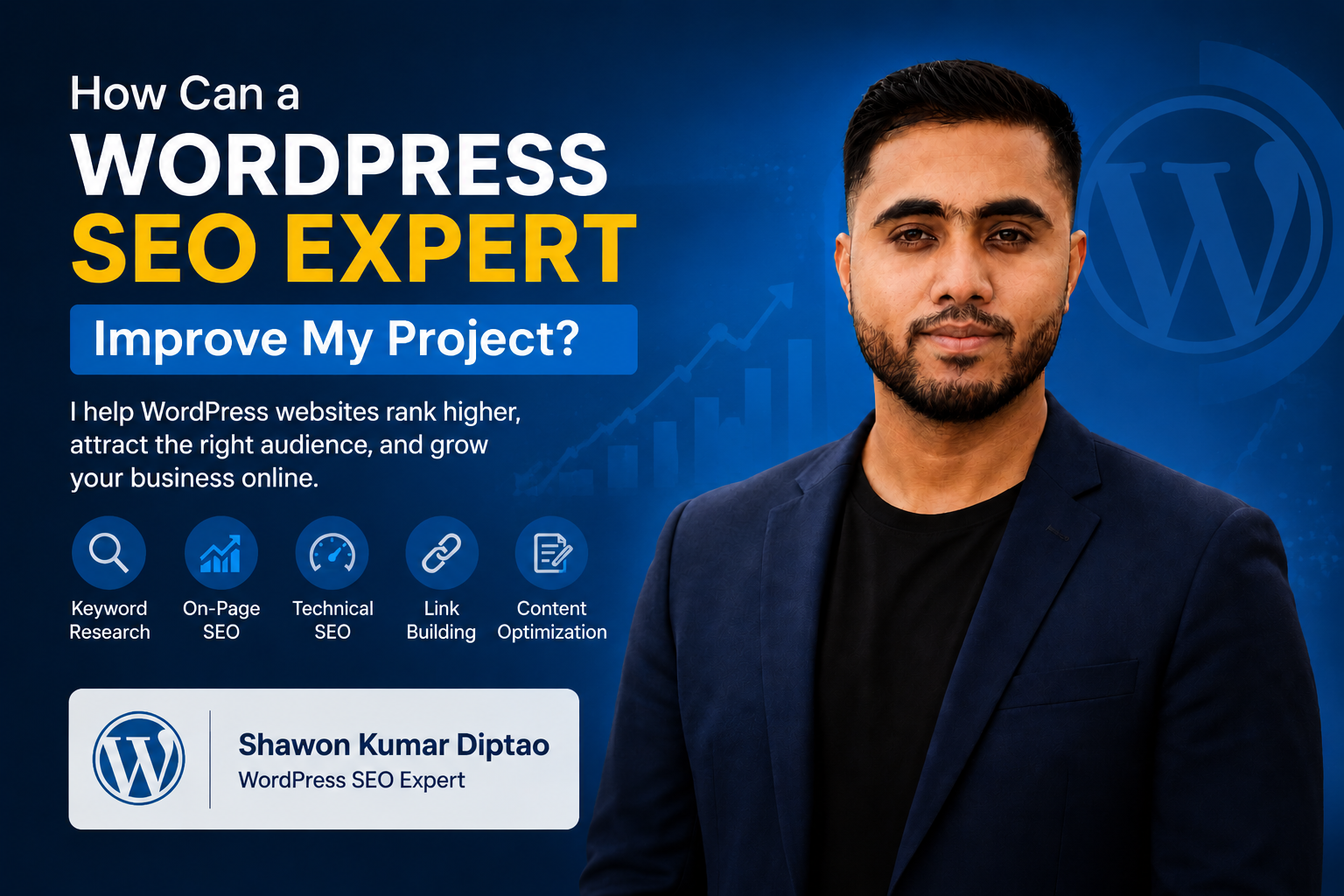
Why Is My WordPress Website Not Ranking on Google and How Can a WordPress SEO Expert Improve My Project?
A WordPress website may fail to rank on Google because of technical errors, weak content, poor keyword targeting, slow performance, limited authority, or insufficient local relevance. A WordPress SEO expert can identify these problems, prioritize the most important fixes, improve your pages, and build a search strategy designed to attract qualified visitors.
Many business owners ask, “How can a WordPress SEO expert improve my project?” The answer depends on what is holding the website back. Some websites need indexing repairs. Others need stronger service pages, better internal links, local SEO improvements, or a clearer content strategy.
Publishing more blog posts will not solve the problem when Google cannot properly crawl the website or understand what the business offers. The first step is to diagnose the cause.
Why Is My WordPress Website Not Ranking on Google?
Most WordPress ranking problems are caused by several issues rather than one single mistake. A website may look professional but still contain technical, content, and authority weaknesses that limit its visibility.
Understanding these problems helps you avoid random changes and focus on the improvements that can have the greatest impact.
Google Cannot Properly Crawl or Index Your Website
Before a page can rank, Google must be able to discover, crawl, understand, and index it.
WordPress websites can develop indexing problems because of plugin settings, theme changes, migration errors, server configurations, or accidental search-engine restrictions.
Common crawl and indexing problems include:
- Important pages marked with a noindex tag
- Incorrect robots.txt rules
- Missing or outdated XML sitemaps
- Broken internal links
- Redirect loops
- Long redirect chains
- Incorrect canonical tags
- Duplicate URLs
- Pages that require too many clicks to reach
- Important content loaded in a way search engines cannot easily process
One common WordPress issue happens when a website is hidden from search engines during development and the setting is not removed before launch.
The site may appear normal to visitors, but Google may not index it properly.
A technical WordPress SEO audit can uncover these hidden barriers and determine which pages are eligible to rank.
Your Website Is Targeting the Wrong Keywords
A website cannot rank effectively when its pages target terms that are too broad, too competitive, or unrelated to the searcher’s real intent.
For example, targeting a keyword such as “SEO” may attract a wide audience, but it does not clearly indicate what the visitor needs. A longer phrase such as “how can a WordPress SEO expert improve my project” reveals a more specific problem and stronger interest in professional support.
An effective keyword strategy should include several search-intent categories:
- Informational keywords
- Commercial keywords
- Service-based keywords
- Cost-related keywords
- Comparison keywords
- Troubleshooting keywords
- Local keywords
- Question-based keywords
Each important page should have a clear primary topic.
When several pages target the same keyword, they may compete against one another. This is called keyword cannibalization. Google may struggle to decide which page is most useful, causing all of the competing pages to perform poorly.
A WordPress SEO expert can review the website’s keyword map, identify overlap, and assign a distinct purpose to each page.
Your Content Does Not Fully Answer the Searcher’s Question
Google aims to rank content that provides useful, accurate, and complete answers.
Many WordPress service pages contain only a short introduction, a list of services, and a contact form. That may not be enough to demonstrate expertise or satisfy users who want details before making a decision.
Weak content often has one or more of these problems:
- Generic explanations
- Thin service descriptions
- Repeated wording
- Missing examples
- No cost guidance
- No troubleshooting information
- Few supporting details
- Poor heading structure
- No FAQs
- No clear next step
Content should answer the questions a potential customer is likely to ask.
For example:
- What does the service include?
- What problems can it solve?
- How long might results take?
- What factors affect cost?
- What should the customer prepare?
- When is professional assistance necessary?
- How is the service different from alternatives?
Detailed content helps users make informed decisions and gives search engines more context about the page.
Your Content Is Not Optimized for AEO or Google AI Overviews
Answer engine optimization, or AEO, is the process of structuring content so search engines and AI-powered systems can easily identify and present useful answers.
AEO-ready content often includes:
- A direct answer near the beginning
- Question-based headings
- Short explanatory paragraphs
- Definitions
- Step-by-step instructions
- Checklists
- Comparison sections
- Expert recommendations
- Clearly formatted FAQs
This structure can improve the page’s usefulness for featured snippets, voice search, and Google AI Overviews.
However, no SEO professional can guarantee inclusion in an AI Overview. The goal is to make the content clear, trustworthy, well-organized, and supported by genuine expertise.
Technical WordPress SEO Problems May Be Holding You Back
WordPress is flexible, but themes, plugins, page builders, and custom code can create technical problems when they are not carefully managed.
Slow Page Speed
A slow website can frustrate visitors and reduce conversions.
Common causes include:
- Large images
- Poor-quality hosting
- Too many plugins
- Unoptimized scripts
- Heavy page builders
- Excessive tracking code
- Weak caching
- Unused CSS or JavaScript
- Large font files
- Too many external requests
A WordPress SEO expert can identify which resources are slowing down the website and recommend improvements such as image compression, caching, code reduction, database cleanup, and hosting upgrades.
Poor Mobile Experience
A website may be technically responsive but still provide a poor experience on mobile devices.
Examples include:
- Small text
- Buttons placed too close together
- Pop-ups covering the screen
- Unstable layouts
- Slow mobile loading
- Forms that are difficult to complete
- Menus that do not work properly
- Important content hidden on smaller screens
Since many customers search on mobile devices, important service pages should be manually tested across different screen sizes.
Duplicate and Low-Value Pages
WordPress can automatically generate category pages, tag archives, attachment pages, author archives, filtered URLs, and other pages.
Some may be useful. Others may create duplication or provide little value.
A WordPress SEO expert can determine which pages should be:
- Improved
- Combined
- Redirected
- Removed
- Excluded from indexing
- Added to the main site structure
This helps search engines focus on the pages that matter most.
Broken Links and Redirect Problems
Broken links create poor user experiences and make it harder for search engines to understand the website.
Redirect chains can also slow down crawling and page loading.
Regular audits should identify:
- Broken internal links
- Broken external links
- Redirect loops
- Unnecessary redirect chains
- Links pointing to outdated pages
- Orphan pages with no internal links
Missing or Incorrect Schema Markup
Schema markup helps search engines understand the purpose and meaning of a page.
Relevant schema may include:
- Organization schema
- LocalBusiness schema
- Service schema
- Article schema
- Breadcrumb schema
- Person schema
- FAQ schema, where appropriate
Schema does not automatically produce higher rankings, but accurate implementation can improve search-engine understanding and eligibility for enhanced results.
Misleading or inaccurate schema should be avoided.
How Can a WordPress SEO Expert Improve My Project?
A WordPress SEO expert improves a project by connecting technical optimization, content strategy, user experience, internal linking, authority, and conversion goals.
The work should begin with evidence rather than assumptions.
A Complete WordPress SEO Audit
A professional audit should examine more than titles and keywords.
It may include:
- Crawlability
- Indexing
- XML sitemap configuration
- Robots.txt rules
- Site architecture
- Page speed
- Core Web Vitals
- Mobile usability
- Internal linking
- Keyword targeting
- Search intent
- Content quality
- Backlink profile
- Competitor visibility
- Local SEO signals
- Conversion paths
- Analytics tracking
- Google Search Console data
Shawon Kumar Diptao focuses on identifying the problems that are most likely to limit visibility, traffic, and enquiries.
A useful audit should not simply list every possible issue. It should prioritize actions based on impact, urgency, and difficulty.
Fixing Crawlability and Indexing Problems
Once technical barriers are identified, an expert can begin correcting them.
This may include:
- Removing accidental noindex tags
- Updating robots.txt rules
- Repairing canonical tags
- Fixing redirect loops
- Submitting an accurate XML sitemap
- Improving internal links
- Resolving duplicate URLs
- Repairing broken pages
- Improving navigation
- Making important pages easier to find
These changes help Google discover and understand the website more efficiently.
Improving Existing Service Pages
Creating new content is not always the best first step.
An existing service page may already have:
- Search impressions
- Partial rankings
- Backlinks
- User engagement
- Brand history
- Internal-link value
Improving that page may be more effective than publishing another article on the same topic.
A WordPress SEO expert may improve an existing page by:
- Rewriting the title tag
- Improving the meta description
- Clarifying the primary service
- Expanding weak sections
- Adding useful FAQs
- Strengthening headings
- Improving keyword placement
- Adding examples
- Adding trust signals
- Improving internal links
- Updating the call to action
- Removing outdated information
The purpose is not to insert keywords unnaturally. The goal is to create a page that clearly satisfies the visitor’s intent.
Creating a Search-Intent-Based Content Strategy
Every blog post should support a business objective.
Educational content can help customers understand their problem. Commercial content can help them compare solutions. Service content can support conversion.
Useful WordPress SEO topics may include:
- Why a WordPress website is not ranking
- How much WordPress SEO costs
- WordPress technical SEO audits
- SEO plugin comparisons
- Website migration mistakes
- Page-speed improvements
- Indexing problems
- Local SEO for service businesses
- WordPress internal linking
- SEO content updates
- Google Search Console errors
- WordPress SEO maintenance
These articles should link naturally to the main service page and related resources.
For professional support, visit Shawon Kumar Diptao.
Strengthening Internal Links
Internal links help users navigate the website and help search engines understand how pages are related.
A strong internal-linking structure can:
- Direct visitors to important service pages
- Distribute authority across the website
- Improve crawlability
- Reduce orphan pages
- Support topic clusters
- Show which pages are most important
- Increase engagement
For example, an article about indexing problems may link to a technical SEO service page. An article about local rankings may link to a local SEO service page.
Anchor text should be descriptive and natural.
Useful examples include:
- WordPress SEO expert
- Technical WordPress SEO audit
- Improve WordPress Google rankings
- Local SEO for WordPress websites
- Professional WordPress SEO services
- WordPress website optimization
- SEO services from Shawon Kumar Diptao
Avoid using the same exact anchor text excessively.
Building Trust, Authority, and EEAT
Google evaluates many signals when deciding whether content appears trustworthy.
EEAT refers to experience, expertise, authoritativeness, and trustworthiness.
A WordPress website can strengthen these signals by including:
- Clear author information
- Real project experience
- Detailed service explanations
- Genuine testimonials
- Case studies
- Accurate business information
- Original screenshots
- Transparent contact details
- Reliable citations
- Updated content
- Clear privacy and business policies
Avoid publishing invented statistics, fake reviews, or unverifiable success stories.
Real evidence is more valuable than vague claims.
Shawon Kumar Diptao can use project-based insights, documented improvements, and clear methodology to show genuine expertise.
How Local SEO Problems Affect WordPress Rankings
Even when a business does not want to mention a specific city in every article, local SEO can still support visibility in its actual service area.
A website may struggle to rank locally when:
- The Google Business Profile is incomplete
- Business information is inconsistent
- Service areas are unclear
- Local reviews are limited
- Contact details are difficult to find
- Location pages contain duplicate content
- The website has few local authority signals
- Local services are not described clearly
Your business name, phone number, service information, hours, and coverage areas should remain consistent across the website and trusted business listings.
GEO SEO for Your Service Area and Nearby Locations
GEO-focused SEO helps a business show relevance to customers in the areas it genuinely serves.
A strong service-area page may include:
- Services offered in the area
- Common customer needs
- Industries served
- Appointment or delivery information
- Local project examples
- Genuine customer reviews
- Service availability
- Relevant FAQs
- Coverage details
- Contact information
Avoid copying one location page and changing only the place name.
Each page should provide unique value. Search engines may ignore or devalue thin pages created only to capture location-based keywords.
When local statistics are used, they should come from reliable and current sources. Useful evidence may also include verified Google Business Profile actions, Google Search Console location data, genuine reviews, and completed projects.
How Much Does WordPress SEO Cost?
The cost of WordPress SEO depends on the condition of the website and the amount of work required.
Important factors include:
- Website size
- Number of pages
- Technical complexity
- Current ranking problems
- Competition
- Number of services
- Number of target locations
- Content requirements
- Backlink quality
- Website speed
- Reporting needs
- Ongoing maintenance
A small website with a few technical errors may require a focused audit and one-time implementation.
A larger business may need ongoing content optimization, local SEO, technical maintenance, conversion improvements, and authority building.
The lowest-priced option is not always the most cost-effective. A cheap package may provide automated reports without meaningful analysis or implementation.
Before hiring an SEO professional, ask:
- What will be audited?
- Which problems will be fixed?
- What work is included?
- How will priorities be selected?
- How will results be measured?
- Who will implement the changes?
- How often will reporting be provided?
A customized recommendation is usually more useful than a generic package.
WordPress SEO Troubleshooting Checklist
Use this checklist before publishing more content:
- Confirm that important pages are indexed.
- Check Google Search Console for errors.
- Review the XML sitemap.
- Look for accidental noindex tags.
- Test important pages on mobile devices.
- Review page speed and Core Web Vitals.
- Check for broken internal links.
- Review duplicate title tags.
- Look for keyword cannibalization.
- Improve weak internal links.
- Confirm that business information is accurate.
- Review local landing pages.
- Test contact forms.
- Confirm that leads and conversions are tracked.
- Back up the website before major changes.
Simple problems may be easy to fix. Complex indexing, migration, security, server, or JavaScript issues may require professional assistance.
How to Prevent Future WordPress Ranking Problems
SEO maintenance helps protect rankings and website performance.
Keep WordPress Updated Safely
Keep the WordPress core, plugins, and themes updated. However, always create a backup before making major changes.
Updates can sometimes cause layout problems, plugin conflicts, broken forms, or technical SEO errors.
Important pages should be tested after every major update.
Monitor Google Search Console
Google Search Console can help identify:
- Indexing changes
- Coverage problems
- manual actions
- security warnings
- declining queries
- lost clicks
- broken pages
- sitemap problems
Reviewing this data regularly can help you detect problems before they become serious.
Refresh Important Content
Content can become outdated as services, customer questions, competitors, and search intent change.
Review priority pages regularly and update:
- Service details
- Examples
- FAQs
- Internal links
- Statistics
- screenshots
- pricing guidance
- calls to action
Do not update content only by changing the publication date. Make meaningful improvements.
Maintain Internal Links
When a page is removed or redirected, update the internal links pointing to it.
Important pages should not become isolated.
Review your blog posts and identify opportunities to link to:
- Main service pages
- Supporting articles
- Contact pages
- Case studies
- Relevant location pages
Track Leads, Not Only Rankings
Higher rankings are useful only when they attract relevant visitors.
Track actions such as:
- Contact-form submissions
- Phone calls
- Consultation requests
- Email enquiries
- Quote requests
- Bookings
- Purchases
A page that ranks for an irrelevant term may generate traffic without producing business results.
When to Call a WordPress SEO Professional in Your Area
Professional support may be necessary when:
- Organic traffic suddenly declines
- Important pages disappear from Google
- Search Console reports serious errors
- A website redesign is planned
- A domain migration is planned
- Local competitors consistently outrank your business
- Traffic increases but enquiries do not
- The website has been affected by malware or spam
- Plugins create repeated conflicts
- Important pages load slowly
- You are expanding into new service areas
- Your team cannot implement SEO recommendations
It is usually better to involve an SEO professional before a redesign or migration rather than after rankings have already been lost.
Why Choose Shawon Kumar Diptao for WordPress SEO?
Shawon Kumar Diptao combines WordPress knowledge with technical SEO, content optimization, AEO, internal linking, local visibility, and conversion-focused strategy.
The goal is not simply to increase impressions.
The goal is to help the right customers:
- Discover your website
- Understand your services
- Trust your expertise
- Navigate important pages
- Take the next step
A practical WordPress SEO strategy should include:
- Clear priorities
- Transparent recommendations
- Technical problem resolution
- Search-intent-based content
- Stronger internal linking
- Better local relevance
- Measurable goals
- Ongoing maintenance guidance
Explore SEO services from Shawon Kumar Diptao to learn how your WordPress project can be reviewed and improved.
Take the Next Step Toward Better Google Rankings
A WordPress website that is not ranking should not be treated with random plugins, unnecessary redesigns, or large amounts of unfocused content.
The first step is identifying the real problem.
Your website may need:
- Technical repairs
- Better keyword targeting
- Stronger service pages
- Improved page speed
- Clearer local signals
- Better internal links
- Stronger authority
- More useful content
- Improved conversion paths
Shawon Kumar Diptao can review your WordPress website, identify priority issues, and create an SEO strategy designed to improve search visibility and qualified enquiries.
Visit Shawon Kumar Diptao to learn more about professional WordPress SEO support.
Frequently Asked Questions
Why is my WordPress website not appearing in Google search results?
Your website may have indexing problems, noindex tags, robots.txt restrictions, duplicate content, weak internal links, or insufficient content. Google Search Console and a technical crawl can help identify the cause.
How can a WordPress SEO expert improve my project?
A WordPress SEO expert can audit your website, repair technical issues, improve page speed, optimize content, strengthen internal links, research keywords, improve local relevance, and create a strategy based on your business goals.
How long does WordPress SEO take to improve rankings?
The timeline depends on the website’s condition, competition, authority, and the changes required. Technical fixes may be processed relatively quickly, while competitive ranking improvements usually require consistent work over time.
Can a WordPress SEO expert fix an existing website?
Yes. An existing WordPress website can often be improved without being rebuilt. The work may include technical repairs, content updates, page-speed optimization, schema, internal linking, and local SEO.
Do I need separate pages for every service area?
Create separate service-area pages only when each area represents a genuine market and you can provide unique, useful information. Avoid duplicated pages that change only the location name.
Can WordPress SEO help my website appear in Google AI Overviews?
WordPress SEO can improve eligibility by making content clear, accurate, structured, authoritative, and easy to understand. Direct answers, expert explanations, descriptive headings, and useful FAQs may help, but inclusion cannot be guaranteed.
Is an SEO plugin enough to rank a WordPress website?
No. An SEO plugin can help manage titles, sitemaps, schema, and indexing settings, but it cannot replace keyword strategy, technical analysis, content quality, authority building, or user-experience improvements.
How often should I audit my WordPress website?
A full audit may be useful after a redesign, migration, major traffic decline, or significant website expansion. Important technical and performance indicators should also be monitored regularly.